Daily Triage
The Workbench
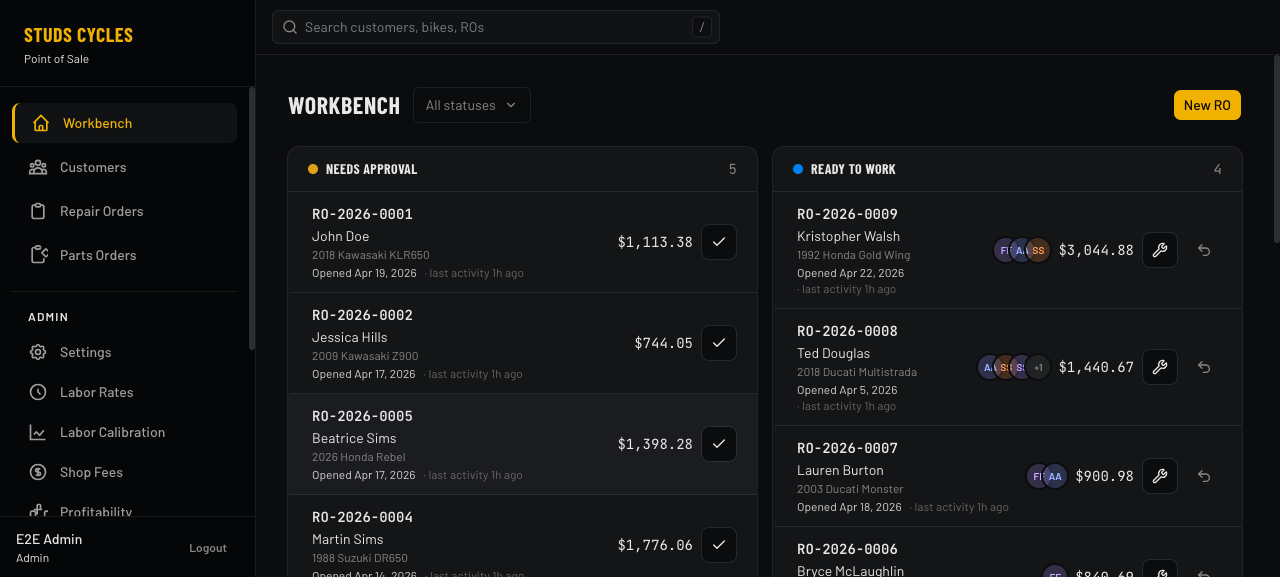
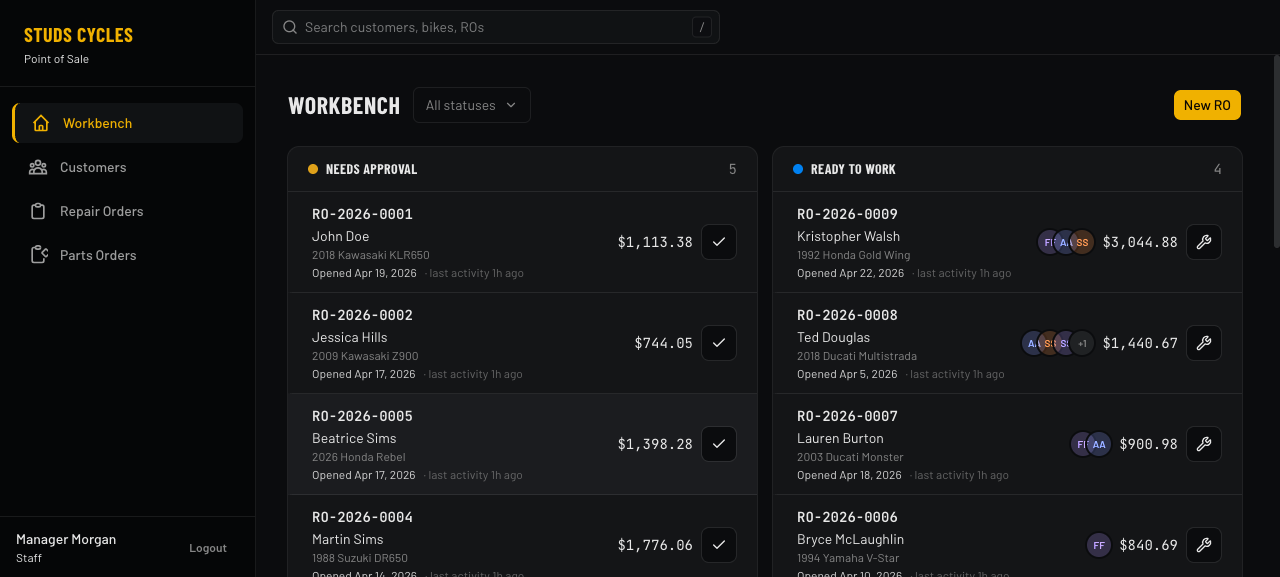
One screen, one glance. Every repair order in flight, grouped by lifecycle status, with the numbers that matter visible without a click.
- Five status lanes — Needs Approval, Ready to Work, In the Shop, Collect Payment, Ready for Pickup
- One-click advance on every card: approve an estimate, start work, mark complete, release for pickup — each with a 5-second undo toast
- Stacked avatars show exactly which technicians are assigned to each RO's labor lines
- Opened date vs. last activity shown separately, so 2-year-old closed tickets don't look like they just updated
Filter Without Losing Context
Focus on what matters right now
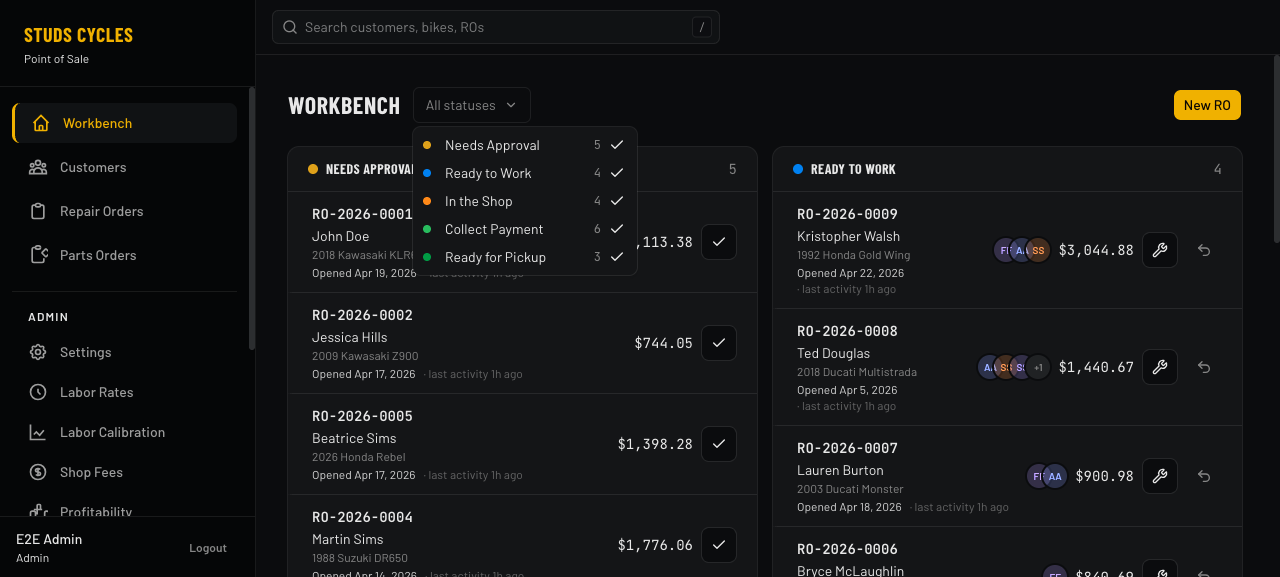
Status-filter dropdown lets the owner hide columns they don't care about — "just show me Ready to Work and Collect Payment" — without losing the ability to flip back. Multi-select, counts live, defaults to all-on.
- Persistent all/none state across sessions
- Column counts update as ROs move
- Masonry re-flows so remaining columns fill the screen
The Workhorse
Repair-order builder
Where real work happens. Parts, labor, and fees as line items. Per-labor-line technician assignments and timer controls. Live totals plus gross profit % visible the whole time. Payment panel inline — no navigation needed.
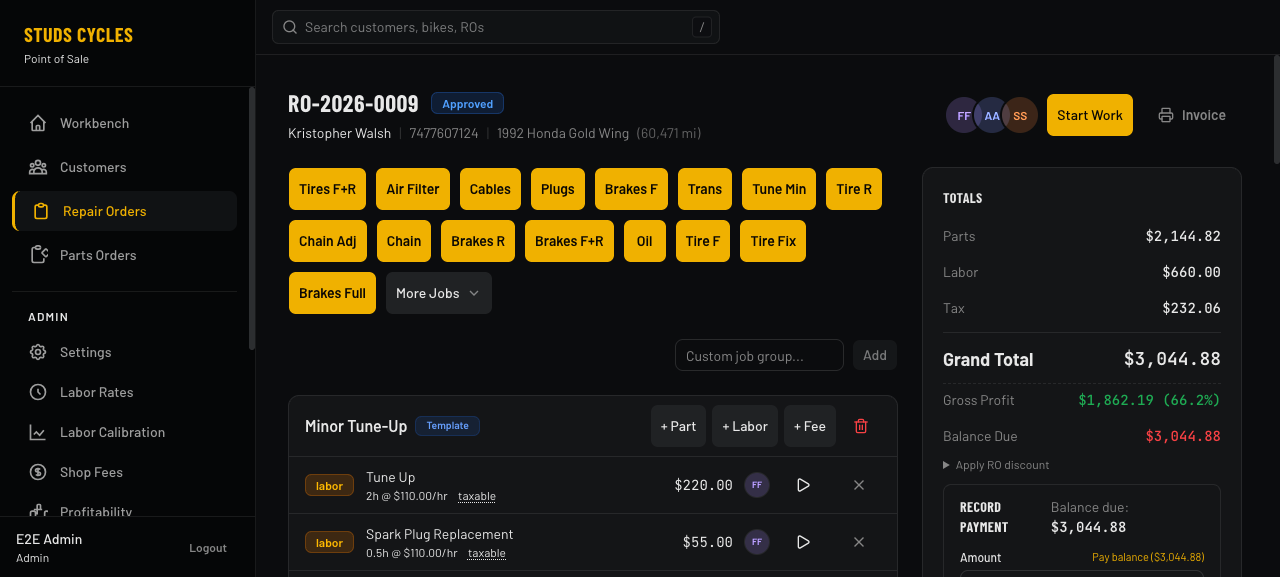
- Quick-job bar — common services (Tires F+R, Oil, Chain Adj, etc.) are one tap to add a pre-configured labor + parts template
- Per-line tech pickers on labor lines and stop/start timer buttons that clock real work to
labor_time_logs - Live gross profit and margin percentage, updated as you edit — the owner sees whether a ticket is profitable while quoting it
- Pay balance shortcut prefills the full outstanding amount — most payments are just for the full balance, no reason to type it
- Tech stack in the header mirrors the workbench card — at a glance, which techs have touched this RO
Owner-facing Dashboard
Parts Orders
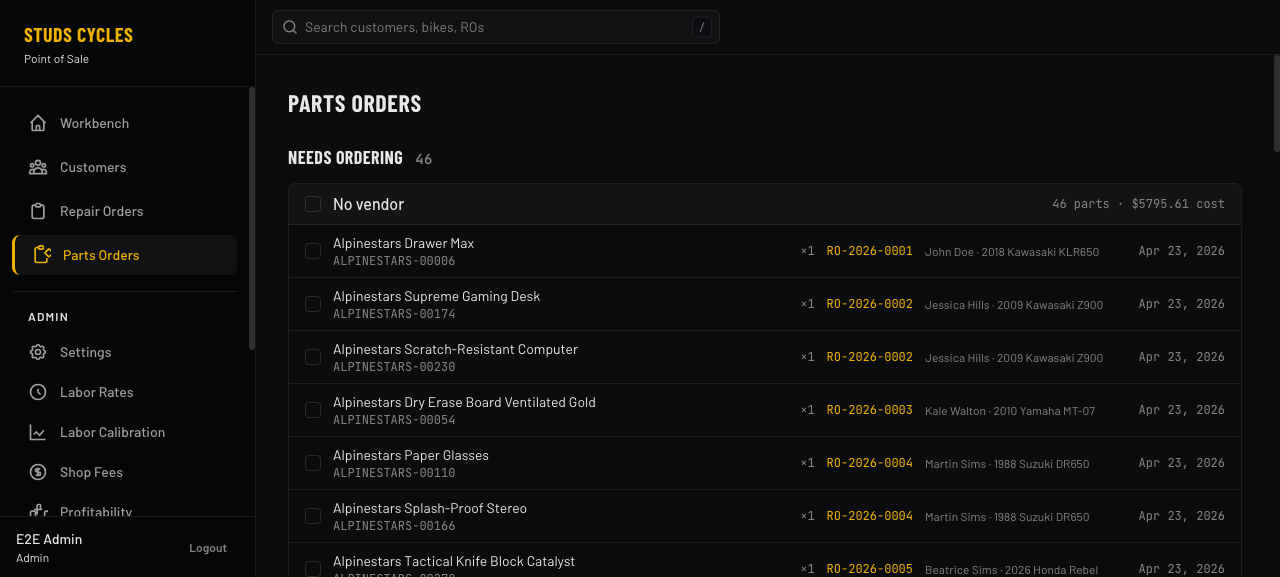
The owner sees what techs have queued up, places the real orders at WPS/Drag/etc., records the PO + ETA here, and gets a "call these customers" list when shipments arrive.
- Needs Ordering — unordered part lines grouped by vendor; select across ROs and record a single PO
- In Flight — active POs with expected dates; overdue orders highlighted; one-click "mark arrived" stamps every line in the shipment
- Ready to Contact — once every part on an RO has arrived, the customer's contact card surfaces here with a tap-to-dial phone number
Is the Shop Making Money?
Profitability dashboard
Five headline numbers and a per-RO table. Filter by date and technician. Every cell explains itself on hover — Parts Differential, Labor Cost, Gross Profit, Margin.
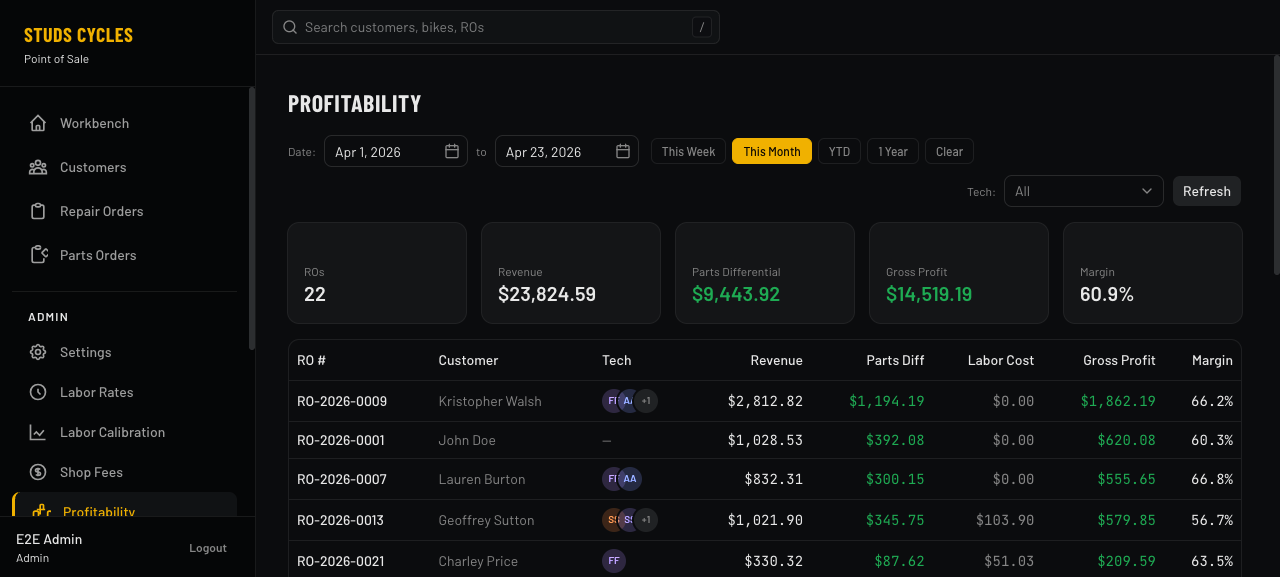
- Revenue, Parts Differential, Gross Profit, and Margin % roll up across every RO in the selected window
- Date presets — This Week / This Month / YTD / 1 Year — plus custom range
- Tech filter narrows the table to one technician's work, so the owner can see which techs are profitable and which aren't
- Per-RO stacked tech avatars show which people contributed to each job's labor
Tune Your Quotes
Labor calibration
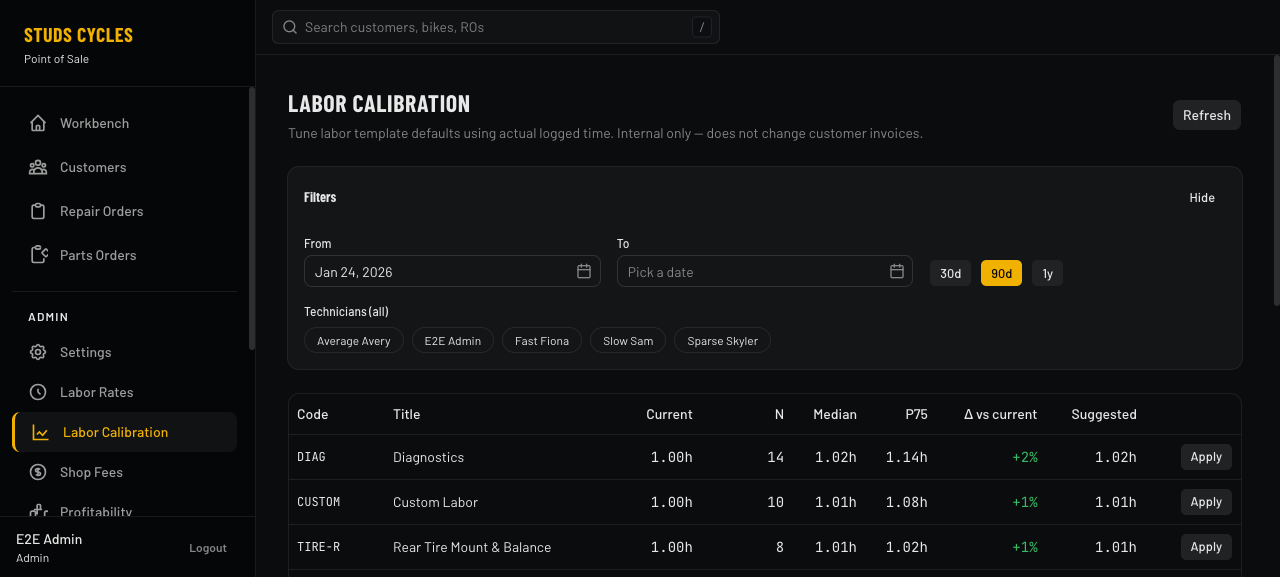
Over time, clocked-in time diverges from the hours you quoted. The calibration page surfaces that drift with a suggested new default per labor item — one-click to apply. Every change is audit-logged with admin + reason.
- Sample size
Nplus median and P75 hours for each labor code - Δ vs. current column colors green when the change is small, warns when the drift is material
- Date-range filter (30d / 90d / 1y) and per-tech filter so you can tune based on a specific technician's cadence
- Audit trail on every change — direct edits elsewhere in the app are captured too, via a backend hook
Who's Hitting Their Targets?
Technician performance
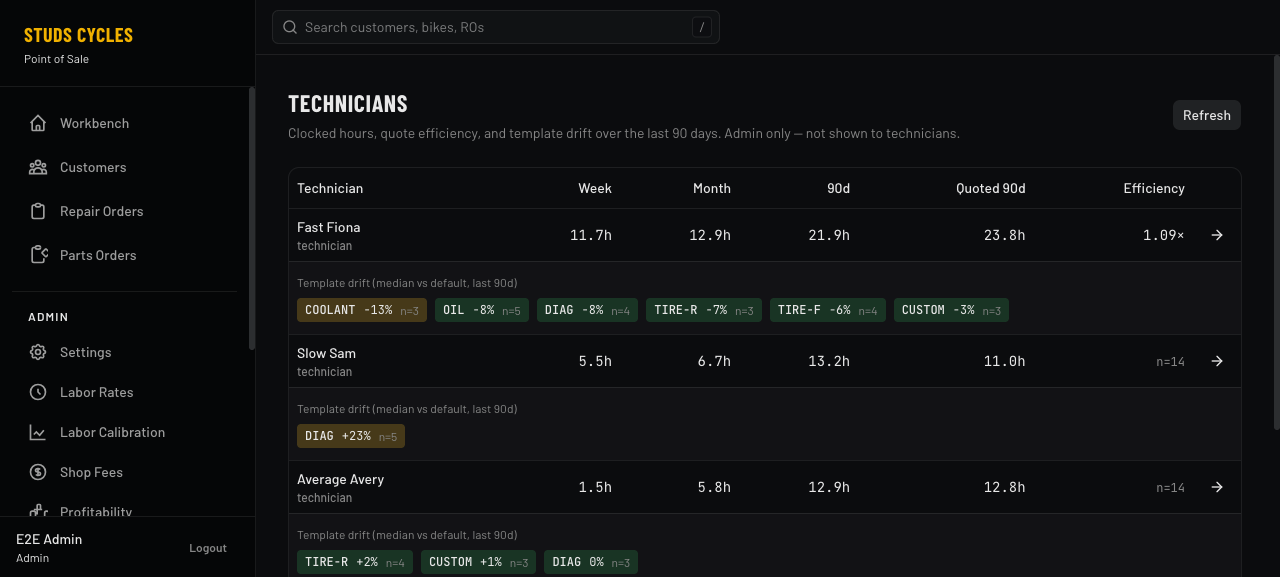
Weekly, monthly, and 90-day clocked hours alongside quoted hours, efficiency ratio, and per-tech template drift. If Slow Sam is +23% on diagnostics over 5 jobs, you see it here.
- Efficiency ratio = quoted / actual, so >1× means the tech beats quoted time
- Template drift chips highlight specific labor codes where one tech runs consistently over or under — coachable moments
- Admin-only view — not visible to technicians themselves, by design
Wage Transparency
Users & hourly cost rates
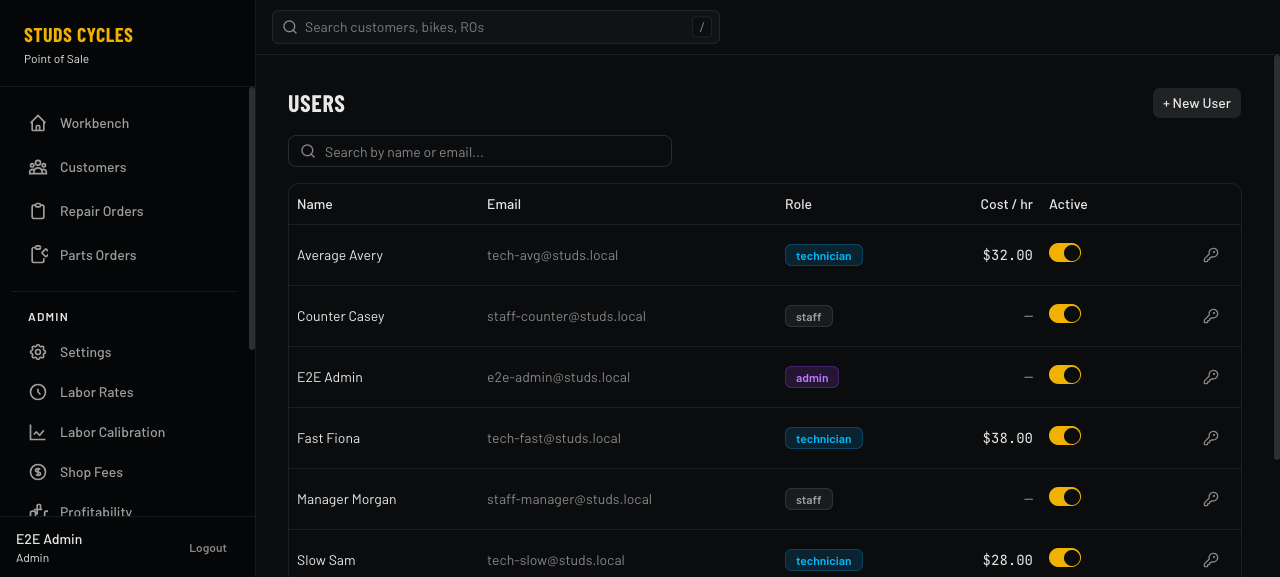
One table, one glance: who's paid what. Cost-rate column snapshot-stamps every new time log so rate changes never rewrite history.
- Hourly cost rate column applies to every role — staff count too
- Role-based badges; one-click activate/deactivate toggle
- Password reset and per-user edit dialogs without leaving the list
Compliance Line Items
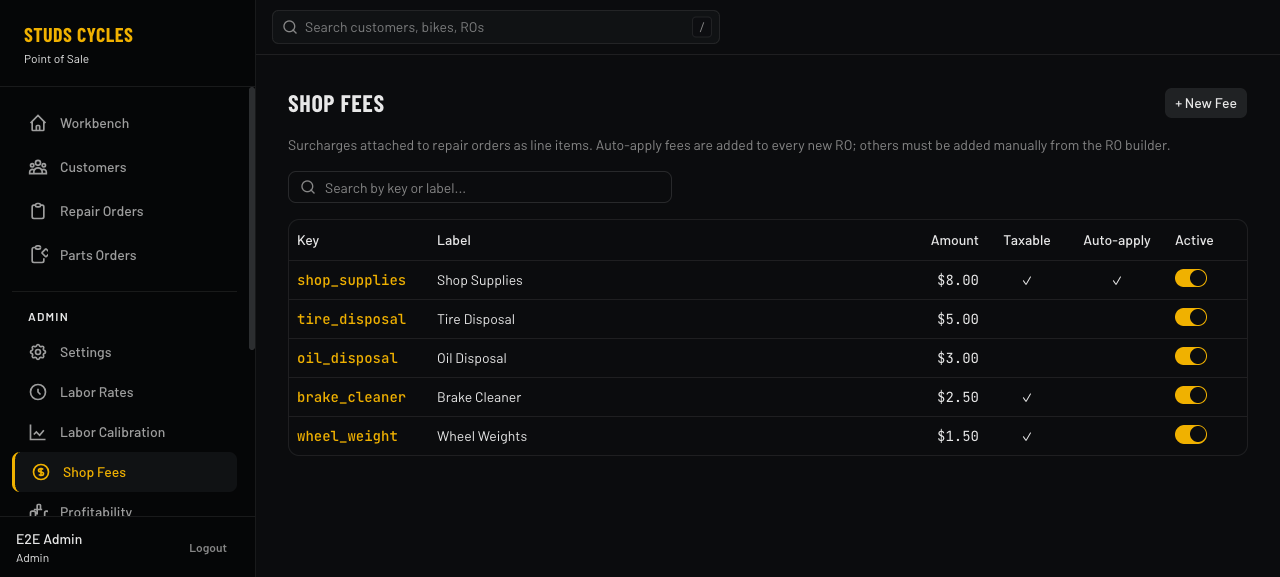
Shop fees catalog
Tire disposal, oil disposal, brake cleaner, wheel weights, shop supplies — every regulatory/pass-through fee the shop charges, in one editable list. Auto-apply on every new RO, or pick-to-add in the builder.
- Auto-apply flag attaches the fee to every new RO automatically
- Taxable toggle per fee — the calculator respects per-line taxability
- Keys are stable identifiers so the same fee applied last year still matches when running historical reports
Phone-Call Workflow
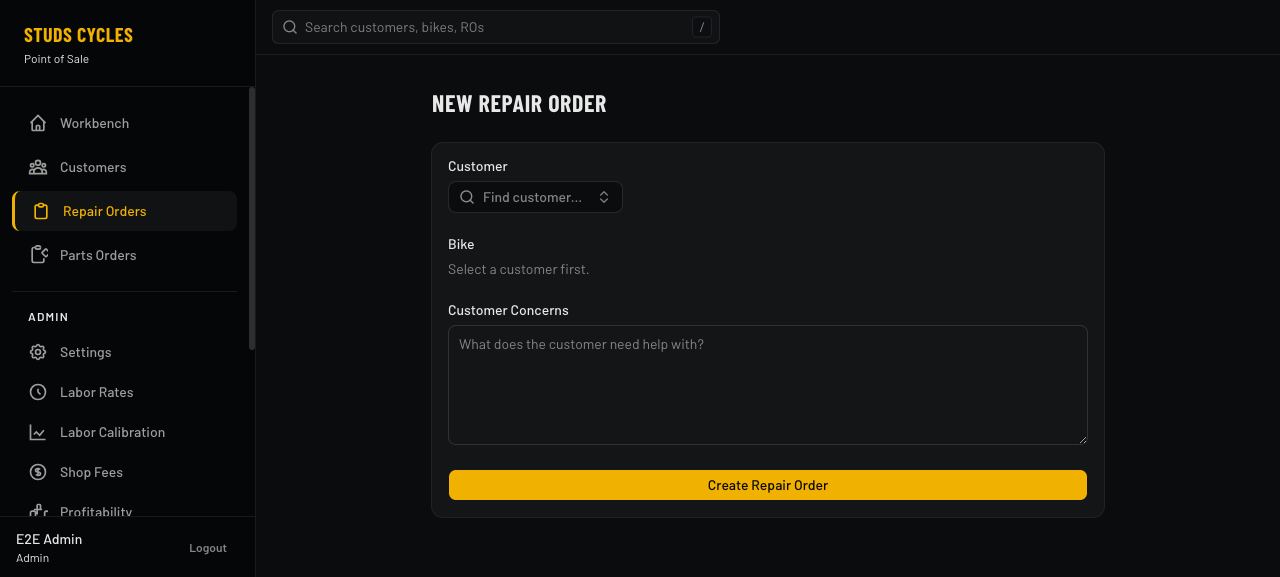
New RO — unified intake
Phone rings. Desk staff types the customer's name; if they're not found, an inline "+ New customer" form captures everything in one go — first/last/phone/email, address, tier, preferred contact method. Same for the bike. Submit creates all three records and drops you in the builder.
- Required fields stay minimal — first + last name, that's it, so walk-ins never block intake
- Inline customer + bike creation — no navigation hops
- Customer concerns captured during intake flow to the builder as a pinned note
Everyone Sees What They Need
Three roles, three tailored views
Every user sees exactly the tools their job needs — no more, no less. Same database, same app, different surface.
The owner
Full access. Workbench, profitability, calibration, tech performance, shop fees, user management, parts catalog, job templates, imports.
Front-desk / manager
Same workbench and customer tools, no admin sidebar. Approve estimates, record payments, pick up parts, answer phones.
The wrench
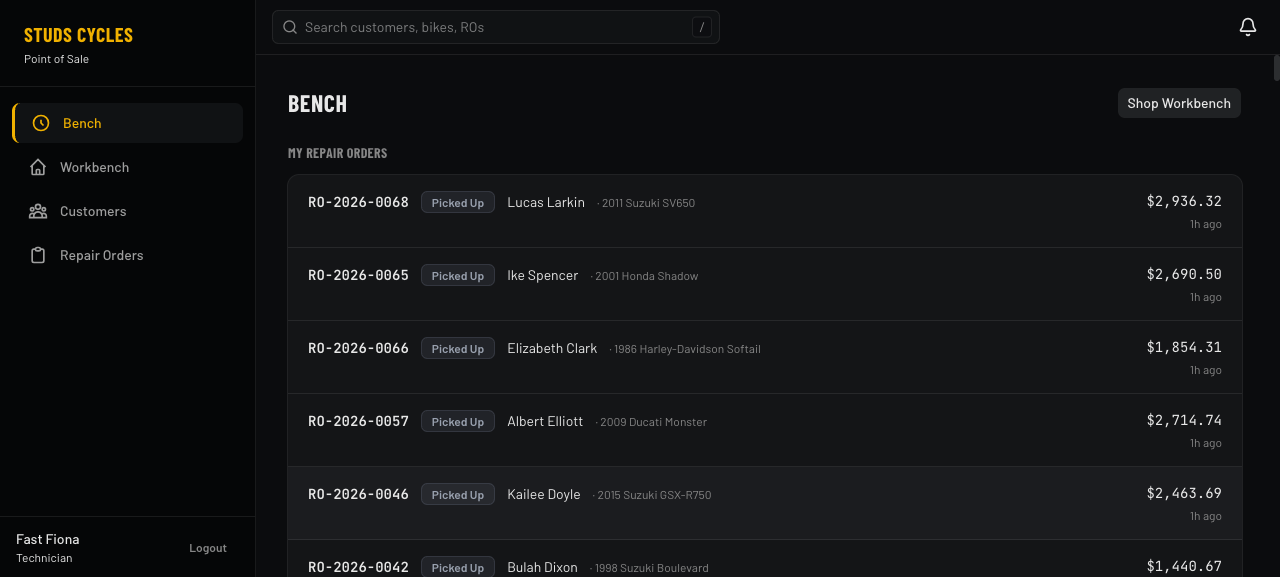
Auto-routed to their own bench — just their assigned ROs. Clock in/out on labor lines. Minimal UI, touch-friendly, nothing in the way.
Under the Hood
Small, boring, reliable
One Go binary. One SQLite file. One static SvelteKit bundle. No Redis, no Postgres, no message queues. Deploys to any machine that can run Go — macOS laptop, Linux VPS, shop back-office PC.